Reference9 min readSeptember 21, 2026
Thirty questions merchants ask about Garu. Answered.
Everything a merchant asks before installing Garu, in one place: how it renders, how sizing works, what it costs, what happens to shopper photos, how it fits a Shopify theme, and what Garu Plus and Garu Studio are.
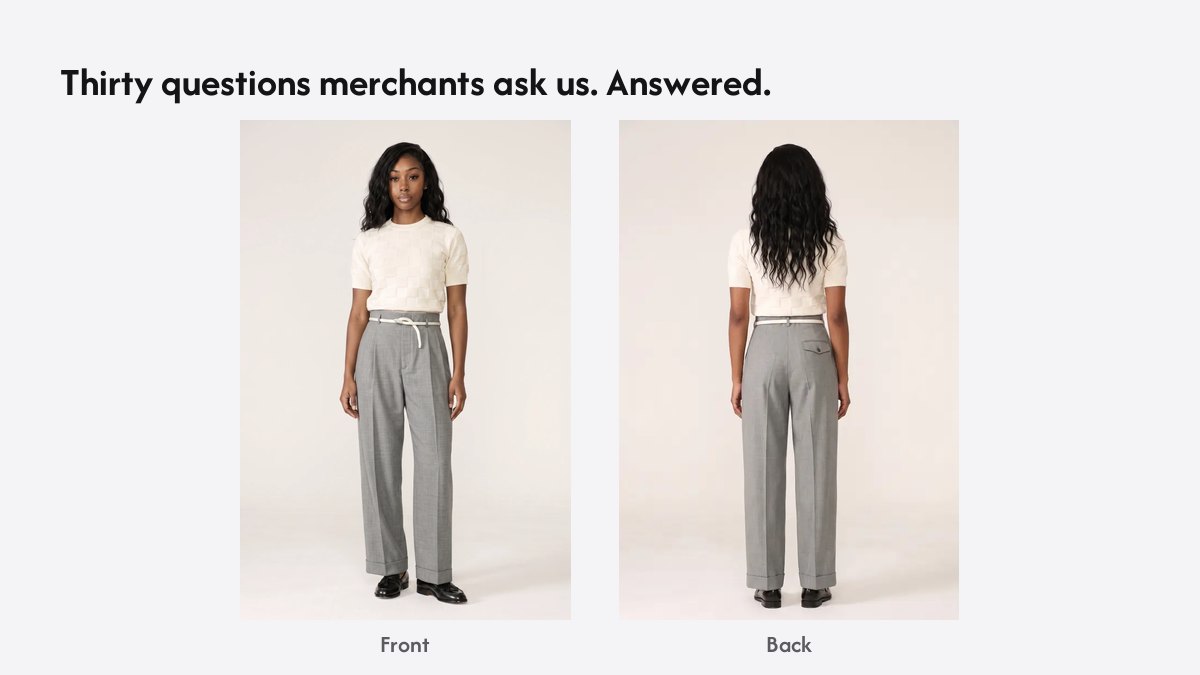
These are the questions merchants ask before and after installing Garu, collected from demos, support and App Store conversations. Short answers, and a link where a longer one exists. If yours is not here, book a demo and ask it.
How it works
Garu is a Shopify app. A shopper uploads one full-length photo on your product page and gets back a render of themselves wearing the product, front and back, with a size recommendation for that garment. The render is built on a body estimated from the photo, not pasted over it, which is the difference that makes fit visible. Sizing uses the same body estimate: chest, waist and inseam, matched to your size chart, returned as one size and a fit note. It never reasons from the shopper’s past orders.
Setting it up
Install from the App Store, switch on the Garu Try On embed in the theme editor, check your size charts have real measurements, and test on a phone. No theme code, and switching the embed off restores the page. The five-step guide covers the details and the mistakes to avoid.
Pricing
Free for 25 try-ons a month. Starter is $199 a month for 800, Growth is $399 for 2,500, and Garu Plus starts at $999, priced on catalogue size and fit volume. Every paid plan starts with a 14-day trial and no card. Full detail on the pricing page, and a per-try-on comparison with other Shopify apps here.
Photos and data
Shopper photos are encrypted, used only to produce the try-on, deleted within 24 hours, and never used to train models. Shoppers do not need an account. Merchants see which products are tried on, the sizes recommended, and what shoppers did next; with order permissions, orders are attributed to try-ons.
The products
Try-on and sizing ship together on every plan. Garu Plus renders each size as its own garment and adds a 360° rotation, for brands where fit is the product. Garu Studio is a separate product for shooting your garments on AI models. The questions below go through each in turn.
Questions merchants ask
What is Garu?
A Shopify app that adds virtual try-on and AI sizing to your product pages. A shopper uploads one photo and sees themselves wearing the product, front and back, with a recommended size for that garment.
Is it a photo overlay or a real render?
A render. Garu builds a body from the shopper’s photo and renders the garment on it, so the fabric drapes and there is a back view. An overlay pastes the product image on the photo and has neither.
How many photos does the shopper need?
One full-length photo, taken on a phone. Garu also offers preset models for shoppers who prefer not to upload a photo.
How long does a try-on take?
A few seconds. The shopper stays on the product page.
Does it work on mobile?
Yes. Most try-ons happen on a phone, and the widget is built for it.
How does the size recommendation work?
Garu estimates the shopper’s chest, waist and inseam from the photo and matches them against your size chart for the garment on the page. It returns one size and a fit note. It never uses the shopper’s previous purchases.
Does it use my size charts or its own?
Yours. Garu reads the chart on the product. A standard chart is used only where a product has none.
What if my garments run small or large?
Add a fit note per style and Garu tells the shopper before they choose. Merchant-specific fit adjustments are how the recommendation is tuned to a brand.
What is Garu Plus?
A custom tier for brands where fit is the product. Each size is rendered as its own garment, so a shopper between two sizes sees both on their own body, and try-on includes a 360° rotation. Priced on catalogue size and fit volume, from $999 a month.
What is Garu Studio?
A separate product for product photography: your garments shot on AI models in a choice of backgrounds, without a photoshoot. It is priced separately from try-on.
Which Shopify plans does it work on?
Any Shopify plan. Garu installs from the App Store as a theme app embed.
Do I need a developer or theme changes?
No. You switch on the Garu Try On embed in the theme editor. No theme files are edited, and switching it off restores the page.
Which themes are supported?
Any Online Store 2.0 theme that supports app embeds, which is every current theme in the Shopify Theme Store. Garu runs on Dawn-based and Horizon-based themes today.
Can I choose which products show the try-on button?
Yes. Enable it per product, and leave it off accessories and anything without a size.
Can I change how the button looks?
Branding controls in the app set the button style and label. Growth plans allow custom branding; Garu Plus is white-label.
Does it work on Squarespace or WooCommerce?
Not today. Garu is a Shopify app.
How much does it cost?
Free for 25 try-ons a month. Starter is $199 a month for 800 try-ons, Growth is $399 for 2,500, and Garu Plus starts at $999. Annual billing saves 30% or more.
Is there a free trial?
Every paid plan starts with a 14-day free trial, with no card required.
Does the photo need a plain background?
No. Any full-length photo works. A doorway or a plain wall with even light gives the cleanest result, and the widget tells the shopper what to do.
What happens if I go over my monthly try-ons?
Shoppers are never blocked. You are notified at 80% and 100%, and overage is billed at the next plan’s rate, so you never pay more than you would on the right plan.
Can I cancel?
Any time, with no fee. Downgrades and cancellations take effect at the end of the billing period.
What happens to shopper photos?
They are encrypted in transit and at rest, used only to produce the try-on, deleted within 24 hours, and never used to train models.
Is Garu GDPR-compliant?
Photos are processed only for the try-on the shopper asked for and deleted within a day, which is the basis of the data handling. Ask us for the data processing terms for your region.
Does the shopper need an account?
No. A shopper uploads a photo and gets a result without signing up for anything.
What analytics do I get?
Which products are tried on, sizes recommended, and what shoppers did next. Growth and Plus add conversion reporting, ROI and cohorts.
Can I see whether try-ons lead to orders?
Yes. With order permissions granted, Garu links orders to the try-ons that preceded them, so conversion and return rates on tried-on products can be reported. Ask us to enable the report for your store.
Does it work for menswear?
Yes. The renders on this page are of a man in a polo and trousers. Sizing uses chest, waist and inseam for any garment.
Does it work for dresses and gowns?
Yes, and dresses are the category where try-on matters most. See the dresses guide for what to check.
Is there an API?
Growth plans include API access; Garu Plus adds headless and multi-store setups. The render and the size recommendation run as services behind the widget.
How do I get started?
Install from the Shopify App Store, switch on the embed in the theme editor, check your size charts, and test on a phone. The five-step guide walks through it.